How Do I Get Better-Quality Leads from My Website?
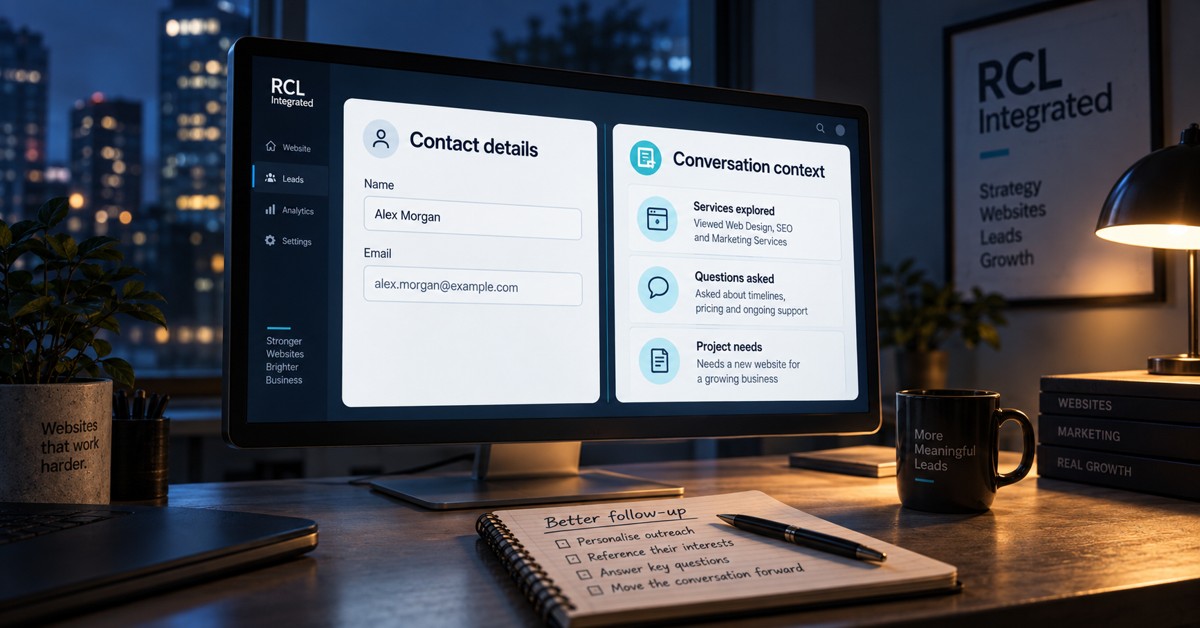
The form is working. The inbox is filling up. Your team still spends too much time discovering that the inquiries are not a fit.
More leads would give you more work. Not necessarily more business.
Better lead quality starts before the form, with who you attract, what your website helps them understand and how clearly it sets expectations. It continues after submission, with the context your team receives and the conversation that follows.
Define “better” before changing anything
An inquiry can be unsuitable for several different reasons. Treating all of them as “bad leads” hides the useful information.
Start with a practical definition of fit:
- Need: Is the person asking for something you actually provide?
- Scope: Does the project match the kind of work your business takes on?
- Location: Can you serve them, where geography matters?
- Timing: Can their needs and your availability reasonably align?
- Expectations: Do they understand the service and the likely level of commitment?
Someone who needs education is not automatically a poor prospect. Neither is someone who is a good fit but not ready this month.
Keep “wrong fit” separate from “not ready yet.” The appropriate next step may be different.
Your website should help people qualify themselves
Imagine a hypothetical company that builds custom operational software. Its website says only “We build apps.”
That could attract a funded business replacing a critical internal system. It could also attract someone looking for a quick template modification. Both visitors may reasonably think they have found the right provider.
The website has left the distinction for a salesperson to explain.
Better content would clarify:
- The types of problems the company solves.
- The kinds of organizations and projects it is equipped to support.
- What a typical engagement involves.
- What information is useful before the first conversation.
- Which requests are outside its scope.
Publish pricing guidance if it is meaningful and supported by the business. If every project varies, explain the factors that shape scope instead of inventing a price to fill the page.
Qualification is partly an information problem. Give people enough information to recognize whether the conversation makes sense.
Match the invitation to the visitor's situation
Not everyone needs the same next step.
Consider three illustrative paths:
- Still researching: offer a useful comparison, process explanation or planning resource.
- Has an active project: provide a clear project-inquiry path with relevant questions.
- Already a customer and needs help: make support easy to find instead of routing the request into a sales queue.
This does not require complex personalization. Clear navigation and well-written pages can do a lot of the work.
Where visitor needs are varied, selected content or calls to action can also adapt to relevant signals. Keep the choices understandable and let people choose a different path. An inferred interest should not trap someone in the wrong experience.
Ask questions that help someone act
The goal is not automatically the shortest form. It is a form whose questions earn their place.
For a project inquiry, useful questions might include:
- What are you trying to improve?
- Which service are you interested in?
- Is there an important deadline or existing system we should know about?
Ask a question because its answer changes routing, preparation or the next conversation. Do not collect a miniature procurement document when the reader is only trying to find out whether you can help.
Likewise, do not remove a useful qualification question just to increase submissions. A higher submission count may still leave the team with fewer worthwhile conversations.
Give the follow-up conversation a head start
A contact form captures what someone chooses to tell you. The journey before that form can provide additional context.
At RCL, we call that lead insight. Alongside an inquiry, session history can show which services the visitor engaged with, which FAQs they explored and what content they spent time considering.
That is different from looking at aggregate visitor counts. It helps the team prepare for this person's conversation.
A hypothetical handoff might separate the information like this:
What the visitor said “We need to replace our website without interrupting inquiries.”
What the session showed Engagement with the website service, migration-related information and process FAQs, where those interactions were captured.
A useful question for follow-up “What needs to keep working during the transition, and what concerns you most about the process?”
The history helps you ask a better question. It does not entitle you to claim you already know the answer.
A page visit does not prove budget, urgency or buying authority. Keep observed behavior separate from stated requirements, and do not assume every session has a complete history.
This is one part of RCL's Smart Site approach: making the experience useful before the inquiry and the context useful afterward. Our explanation of how sites read between clicks explores the underlying signals.
Feed the outcome back into the website
The sales conversation is where many assumptions become clearer. Do not leave that learning in someone's inbox.
Record simple reasons when an inquiry does not progress:
- Wrong service or scope.
- Outside the service area.
- Expectations do not match the offer.
- Appropriate project, but later timing.
- No response after follow-up.
Then ask what the website or acquisition campaign could clarify. Repeated requests for a service you do not offer may point to ambiguous copy or targeting. Repeated surprise about the process may point to missing information.
Not every outcome is the website's fault. Slow responses, limited capacity or poor follow-up can waste a suitable inquiry after it arrives.
Watch qualified inquiry counts alongside their share of total inquiries and the conversations they produce. Filtering almost everyone out can make the percentage look better without improving the business.
The Fast Five
- Define fit. Give “qualified” a useful meaning for your business.
- Set expectations early. Help visitors understand the offer before they contact you.
- Offer sensible paths. Research, project inquiries and support are different needs.
- Use context carefully. Lead insight helps preparation; it does not replace listening.
- Learn from outcomes. Use actual conversations to improve the next visitor's experience.
The goal is not a form that keeps your inbox busy. It is a website that helps the right people start a better conversation.
Recommended next reads
Based on what this session has been reading, these are the strongest follow-up resources from here.